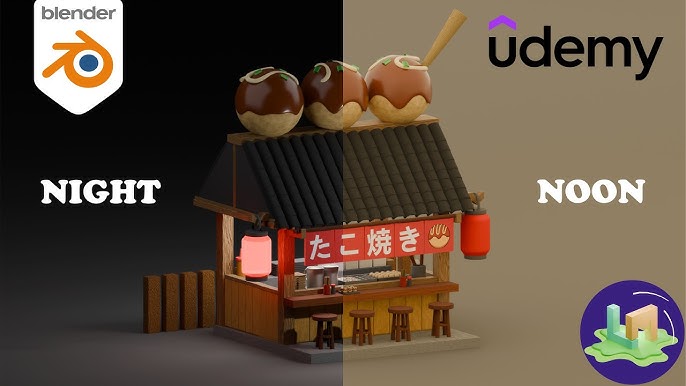
Blender : Takoyaki Shop
Published 2/2026
Created by Kornwanast Samachiktummakun
MP4 | Video: h264, 1920x1080 | Audio: AAC, 44.1 KHz, 2 Ch
Level: Beginner | Genre: eLearning | Language: English | Duration: 15 Lectures ( 2h 20m ) | Size: 2.91 GB
✓ Students will learn about basic modeling.
✓ Students will be able to experiment with different keyboard shortcuts when building or editing models.
✓ Students will learn how to use nodes to create different materials in the model.
✓ In this course, students will learn about short animations to provide basic knowledge and experience in using them.
Requirements
● Students do not need to have any prior experience or even have a little basic knowledge to learn. Or they can learn to gain more experience.
Description
Welcome to this fun and cozy Blender course where you will learn how to create a charming stylized Takoyaki shop from start to finish. This course is designed for artists who enjoy modeling cute food-themed environments and want to improve their skills in building small, detailed 3D scenes. By the end of this course, you will have a complete Japanese street food stall filled with personality, warm colors, and delightful details that make the scene feel lively and inviting.
Throughout the lessons, you will be guided step by step in modeling every major part of the takoyaki shop. We will begin with the basic structure of the stall, focusing on clean shapes, proper proportions, and an organized workflow inside Blender. After that, you will learn how to create the iconic roof, wooden counter, stools, and decorative elements that give the shop its authentic street market feeling.
One of the highlights of this course is modeling the delicious takoyaki balls placed on top of the roof. You will learn how to sculpt and refine stylized food forms, apply appealing materials, and add small toppings to enhance the visual storytelling. In addition, we will cover how to set up materials, lighting, and rendering to achieve a soft, cozy atmosphere suitable for portfolio presentation or social media sharing.
This course is suitable for beginners to intermediate Blender users who want to practice environment modeling while creating a cute and eye-catching project. By completing this class, you will not only gain technical skills in modeling, texturing, and lighting, but also learn how to design a cohesive stylized scene that tells a story.
Who this course is for
■ Suitable for people who are interested in creating 3D models using only the Blender program.
■ Students who are interested in modeling use it as part of various games.