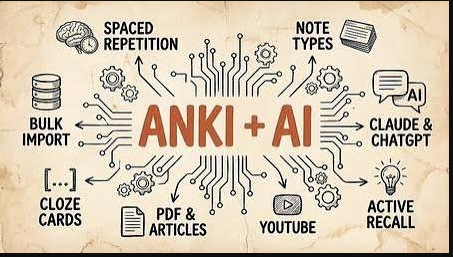
 Anki + Claude Code For Learning and Memorization
Released 7/2026
MP4 |
Video: h264, 1920x1080 |
Audio: AAC, 44.1 KHz, 2 Ch
Genre: eLearning |
Language: English |
Duration: 18 Lessons ( 2h 3m ) |
Size: 708.4 MB
# Anki + Claude Code for Learning and Memorization
**Level:** Beginner to Advanced
**Duration:** Self-paced
## Course Overview
This workflow combines **Anki**, a spaced repetition flashcard application, with **Claude Code**, an AI coding assistant from **Anthropic**, to help you learn technical subjects more efficiently. Claude Code can generate study materials, summarize concepts, create quizzes, and even produce flashcards that you can import into Anki.
> **Note:** Claude Code is primarily designed for software development tasks. While it can be adapted for learning workflows, general-purpose AI assistants can also perform many of these study-related tasks.
---
# Why Combine AI with Anki?
Anki excels at **long-term retention** through spaced repetition.
AI helps you:
* Summarize books and documentation
* Generate high-quality flashcards
* Explain difficult concepts
* Create practice questions
* Produce examples and mnemonics
* Identify gaps in your understanding
Together they reduce the time needed to create effective study material.
---
# Module 1: Learn the Anki Basics
Topics:
* Installing Anki
* Creating decks
* Creating note types
* Card templates
* Tags
* Media
* Synchronization
* Scheduling
Learn:
* Basic cards
* Cloze deletion cards
* Image occlusion (with add-ons if needed)
---
# Module 2: Understanding Spaced Repetition
Topics:
* Forgetting curve
* Active recall
* Ease factor
* Review intervals
* Daily limits
Goal:
Understand why reviewing a small number of cards consistently is more effective than cramming.
---
# Module 3: Setting Up Claude Code
Install Claude Code.
Learn:
* Working with repositories
* Reading documentation
* Prompt engineering
* Using Markdown
* Exporting structured text
---
# Module 4: AI-Assisted Note Taking
Instead of copying documentation, ask AI to produce:
* Concise summaries
* Key concepts
* Definitions
* Comparison tables
* Step-by-step explanations
Example prompt:
> "Summarize this C++ chapter into concise bullet points suitable for flashcards."
---
# Module 5: Generating Flashcards
Good flashcards are:
* Short
* Atomic (one fact per card)
* Clear
* Test understanding rather than recognition
Example:
**Front**
```
What does RAII stand for?
```
**Back**
```
Resource Acquisition Is Initialization
```
---
# Module 6: Cloze Deletion Cards
Example:
```
RAII stands for {{c1::Resource Acquisition Is Initialization}}.
```
These cards help reinforce terminology and definitions.
---
# Module 7: Learning Programming
Use AI to convert code into questions.
Example:
Instead of:
```
std::vector stores elements dynamically.
```
Create:
Front:
```
Which STL container automatically resizes as elements are added?
```
Back:
```
std::vector
```
---
# Module 8: Generate Practice Questions
Ask AI to produce:
* Multiple-choice questions
* Fill-in-the-blank questions
* Short-answer questions
* Debugging exercises
* Code-completion tasks
---
# Module 9: Learn from Documentation
AI can help extract key ideas from:
* Programming language documentation
* API references
* Technical books
* RFCs
* Tutorials
Convert these into flashcards rather than trying to memorize the original text.
---
# Module 10: Import into Anki
You can import flashcards using a CSV file.
Example:
```csv
Front,Back
What is polymorphism?,Ability of objects to take multiple forms
What does SQL stand for?,Structured Query Language
```
Save as `.csv` and import it into Anki, mapping the "Front" and "Back" columns to your note fields.
---
# Module 11: Daily Study Workflow
1. Review due Anki cards.
2. Study a new topic.
3. Ask AI to summarize it.
4. Generate flashcards.
5. Import or create cards in Anki.
6. Review new cards.
7. Repeat consistently.
---
# Module 12: Advanced Workflows
### Programming
Generate:
* Code snippets
* Bug-fixing exercises
* Syntax quizzes
* Algorithm questions
### Mathematics
Generate:
* Formula recall cards
* Proof outlines
* Worked examples
### Language Learning
Generate:
* Vocabulary cards
* Grammar exercises
* Cloze sentences
* Translation prompts
### Interview Preparation
Generate:
* Behavioral questions
* Technical questions
* System design prompts
---
# Best Practices
* Keep one idea per card.
* Avoid copying entire paragraphs.
* Use your own wording when possible.
* Add diagrams or screenshots if they clarify a concept.
* Tag cards by subject (e.g., `CSharp`, `Networking`, `Algorithms`).
* Review every day, even if only for 10-20 minutes.
* Periodically edit or delete weak cards that are confusing or too broad.
---
# Common AI Prompts
* "Turn these notes into 20 Anki flashcards."
* "Create cloze deletion cards from this article."
* "Generate beginner-to-advanced quiz questions on this topic."
* "Explain this concept simply, then produce flashcards."
* "Identify the five most important ideas in this chapter."
---
# Example Learning Pipeline
```
Book / Documentation
│
▼
Read and Understand
│
▼
AI Summary
│
▼
Flashcard Generation
│
▼
CSV Export
│
▼
Import into Anki
│
▼
Daily Reviews
│
▼
Long-Term Retention
```
## Skills You'll Gain
* Effective use of spaced repetition
* AI-assisted note creation
* Flashcard design principles
* Faster learning from technical documentation
* Better retention of programming concepts
* Structured study habits
### Ideal Subjects
This workflow is especially effective for:
* Programming (C++, C#, Python, Java)
* Computer Science fundamentals
* Networking and Cybersecurity
* Mathematics
* Medicine and Biology
* Law
* Foreign languages
* Certification preparation (e.g., AWS, Cisco, CompTIA)
By combining **Anki's** evidence-based spaced repetition with AI-assisted content creation, you can spend less time making study materials and more time practicing retrieval-the activity that most strongly supports long-term memory. The key is to generate **clear, concise, atomic flashcards** and review them consistently.
Код:
https://www.automatalearninglab.com/courses/Anki-AI-course