
|
Engenious Engiggler 1.7.0 (x64) Multilingual
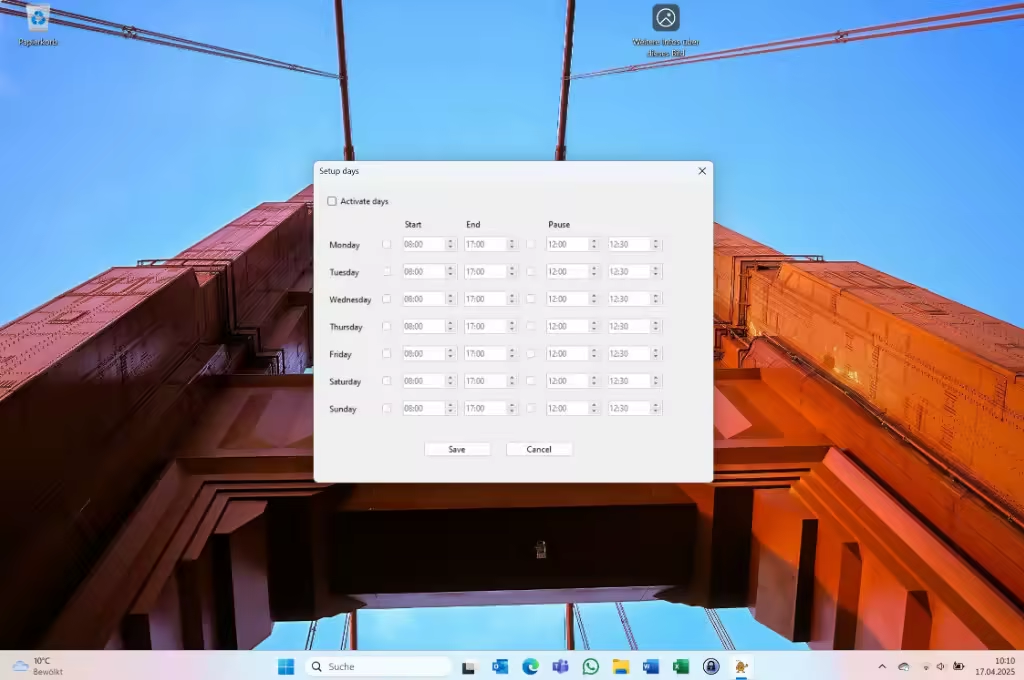 Engenious Engiggler 1.7.0 (x64) Multilingual File size: 48.9 MB Key Features Mouse Movement (Jiggling) - Simulates subtle, timed mouse movements - Adjustable interval and movement size - Optional rectangular motion pattern - Can be fully disabled in VM mode Key Press Simulation - Simulate periodic key presses: Space, F12, F15, or Shift - Ideal for virtual environments and remote desktops - Toggle keys individually via tray menu VM Mode Support - Keyboard-only mode for use in remote desktop or virtual machines - Optional focus-setting for VM window - Select target window by title or from open windows Browser Auto-Refresh - Automatically refresh all open browser windows (Chrome, Edge, Firefox) at user-defined intervals - Instantly refresh any specific browser window or all browsers at once - Simple on/off toggle via system tray Work Schedule - Configure working hours per weekday - Optional break times - All logic runs only during active time slots (if enabled) Idle-Based Activation - Jiggler activates only if user is inactive for X minutes (configurable) - Idle detection toggleable via tray menu App-Aware Pausing - Automatically suspends jiggling and logging while apps like Zoom, Teams, or PowerPoint are active - Manage app blocklist in settings Screenshot & Journal System - Take screenshots automatically at fixed intervals (e.g. every 10 minutes) - Choose between - One screenshot of all monitors - Separate screenshots per monitor - Optionally add a comment for each screenshot - Export full journal as PDF with - Timestamp - Screenshot preview - Associated comments - Schedule daily automatic PDF journal creation (e.g. at 18:00) - All screenshots saved locally in organized folders System Integration - Resides silently in the system tray - No window clutter or pop-ups - Autostart option on system boot - Configurable via context menu and dialogs - All settings saved locally in config.json Activity Logging & AI Mode - Logs active/idle status to CSV file - Can learn and suggest ideal working hours based on usage patterns - Logging and auto-learning fully toggleable - Export logs or clear them directly via tray menu Privacy & Compatibility - Fully local - no internet access or data collection - Lightweight, efficient, and resource-friendly - Works on Windows 10 / 11 (x64), no admin rights required - Ideal for IT admins, developers, presenters, and remote workers Whats New Updates: official site does not provide any info about changes in this version |
| Часовой пояс GMT +3, время: 23:08. |
vBulletin® Version 3.6.8.
Copyright ©2000 - 2026, Jelsoft Enterprises Ltd.
Перевод: zCarot