
|
Tekla Structures Steel Project Based Training Course-2
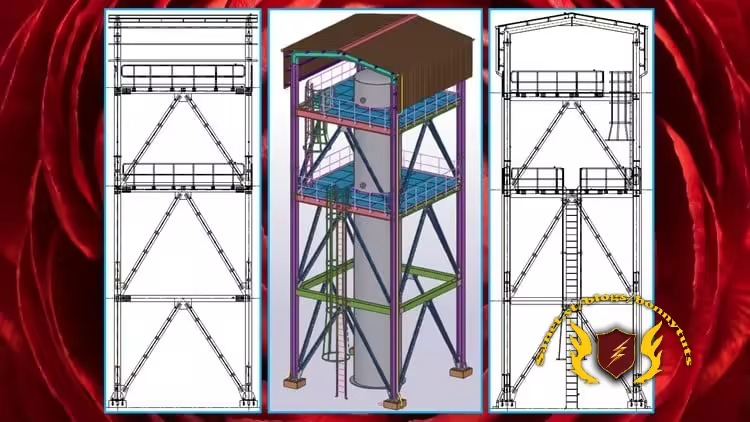 Tekla Structures Steel Project Based Training Course-2 Last updated 1/2026 Created by Rajesh K MP4 | Video: h264, 1920x1080 | Audio: AAC, 44.1 KHz, 2 Ch Level: All Levels | Genre: eLearning | Language: English + subtitle | Duration: 96 Lectures ( 10h 35m ) | Size: 8.17 GB What you'll learn ✓ To learn Grid and View Creation ✓ To learn Beams and Column Creation ✓ To learn Beam to Beam Welded Connection with Edge Preparation ✓ To learn Bracing and Gusset Connection Creation ✓ To learn Column to Beam and Beam to Beam Bolt connection ✓ To learn Rafter and Purlin Creation ✓ To learn Roofing sheet and cladding sheet creation ✓ To learn Handrail and its Connection ✓ To learn Grating Creation ✓ To learn General Arrangement, Assembly and Single Part Drawing Creation ✓ To learn Report Creation ✓ To learn NC File Creation Requirements ● Basic Knowledge of Engineering ● Laptop / Computer (With Tekla Structure 2020 or 2021 or 2022 Software) Description Tekla Structures world No:1 Building Information Modeling (BIM) Software. Tekla Structures used to create steel, reinforced concrete design and detail engineering activities for various industry. You can Create accurate 3D Model with all engineering data it can built any kind of structures in this Software. You can get knowledge to create Industrial steel structure project in this Course You will learn to create grid and its views You will learn to create beam in various level You will learn to create beam to beam welded connection with edge preparation for butt weld and bolted connections You will learn to create column You will learn to create base plate with anchor bolt You will learn to create column and beam splice connection You will learn to create pipe bracing and it's gusset plate connection You will learn to create rafter, purlin and it's connections You will learn to create roofing sheet, cladding sheet, rain gutter and drain pipe You will learn to create handrail with pipe and pipe bend You will learn to create grating You will learn to create ladder and ladder support You will learn to create clash check and resolve the clash You will learn to create numbering You will learn to create general arrangement drawing (GA) and detailing You will learn to create assembly drawing and detailing You will learn to create single part drawing and detailing You will learn to create revision and print drawing You will learn to create report (Assembly List, Part List, Assembly Part List, Bolt List, Shipping List, Material Excel List) You will learn to convert xsr file to xls file in report You will learn to create NC file for plate and beam You will learn to work with profile catalog, material catalog and bolt catalog You will learn to create accurate output files for fabrications and Execution After this course you will get knowledge to work Any Steel Industry Don't wait, Let's Start your good Steps your life Best of Luck Who this course is for ■ Tekla structure beginners ■ Tekla structure advanced learners ■ Structural Modeler ■ Structural Detailer ■ Structural Designer ■ Structural Draftsman ■ Civil Draftsman ■ Civil Engineers ■ Mechanical Engineers ■ Anyone Interested in Steel Structure ■ Anyone Interested in Civil Engineering ■ Anyone Interested in Skid Structure ■ Anyone Interested in Tekla Structures Цитата:
|
| Часовой пояс GMT +3, время: 19:49. |
vBulletin® Version 3.6.8.
Copyright ©2000 - 2026, Jelsoft Enterprises Ltd.
Перевод: zCarot