
|
Graphics And Multimedia
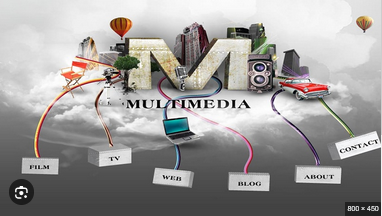 Graphics And Multimedia MP4 | Video: h264, 1280x720 | Audio: AAC, 44.1 KHz Language: English | Size: 966.32 MB From Beginner to Pro: Your 9-Week Blueprint for a Design Career What you'll learn Aspiring Digital Entrepreneur Graphic Design Bootcamp Branding for Business Undergrad Students Requirements This course is for everyone Description Master Graphics & Multimedia: The Complete 62-Day Creative BootcampAre you ready to transform your creative passion into a professional, industry-ready skillset? The 62-Day Graphics and Multimedia Course is a meticulously structured, comprehensive journey designed to take you from a complete beginner to a confident, multi-disciplinary creator. In today's digital-first economy, the ability to communicate visually is no longer just an "additional" skill-it is a global currency. Whether you want to launch a freelance career, boost your marketing impact, or simply master the tools of the modern digital age, this course provides the ultimate blueprint for your success.A Comprehensive, Day-by-Day RoadmapUnlike scattered, unorganized tutorials found online, this course follows a logical, 9-week progression that mimics a professional design degree program. We begin by grounding you in the fundamental "Why" and "How" of design-exploring the crucial technical differences between Raster and Vector graphics, understanding the physics of pixels, resolution, and the psychology behind color theory and typography.As you progress through the modules, you won't just learn to push buttons in software; you will learn to think like a professional designer. You will move from static Image Manipulation and Vector Illustration into the dynamic, high-energy realms of 2D Animation, professional Video Editing, and Audio-Visual Synchronization. We even bridge the gap into the future by introducing the core pillars of 3D Modeling, the principles of Interactive Web Design, and an exploration of emerging trends like AR (Augmented Reality), VR (Virtual Reality), and the transformative role of AI in modern multimedia production workflows.Project-Based Learning & Portfolio BuildingTheory is only half the battle. This course is built on a rigorous "Learn by Doing" philosophy. Every single week concludes with a dedicated Mini-Project, ensuring you apply what you've learned immediately to real-world scenarios. You will finish this 62-day intensive with a robust, diverse portfolio featuring:Professional-grade Logo Designs and Brand Identities.Dynamic 30-second Motion Graphics and Video Clips.Interactive, high-fidelity Web Interface Mockups.Immersive 3D Rendered Scenes.A finalized Personal Portfolio that stands out to employers and clients.Career-Ready OutcomesThe final phase of the course shifts focus from creative production to strategic career development. We dive deep into the actual business of design, covering essential topics like Freelancing best practices, Content Licensing, Remote Collaboration workflows, and how to identify your unique role in the creative industry. You will leave this course not just with a certificate of completion, but with a strategic roadmap to enter the workforce, whether as a full-time designer, a content creator, or a high-impact digital marketer.What You Get Inside:Daily Structured Lessons: 62 days of bite-sized, clear, and actionable daily content.Universal Design Principles: Core skills that apply to any software suite, including Adobe Creative Cloud, Figma, Canva, or Blender.Industry-Leading Insights: Understanding the specific roles, demands, and expectations of the modern multimedia landscape.Lifetime Access: Revisit lessons anytime as you refine your craft."Everything is designed. Few things are designed well." Don't just settle for creating content-master the art of creating exceptional content. Join us for the next 62 days and ensure your work is among the elite. Overview Section 1: Introduction to Graphics and Multimedia Lecture 1 Introduction to Graphics and Multimedia - Scope and Applications Lecture 2 Types of Graphics - Raster vs Vector Lecture 3 Understanding Pixels, Resolution, and Color Depth Lecture 4 Components of a Multimedia System Lecture 5 Elements of Multimedia - Text, Images, Audio, Video, Animation Lecture 6 Multimedia File Types and Compression Techniques Lecture 7 Quiz + Recap + Mini Project (e.g., design a multimedia brochure) Section 2: Graphic Design Fundamentals Lecture 8 Design Principles - Balance, Contrast, Alignment, Proximity Lecture 9 Introduction to Color Theory - RGB , CMYK, and Color Harmonies Lecture 10 Typography Basics - Font Types, Hierarchy, Readability Lecture 11 Composition and Layout - Grids and Visual Flow Lecture 12 Image Manipulation Concepts - Cropping, Scaling, Retouching Lecture 13 Best Practices in Visual Storytelling Lecture 14 Mini Project - Design a Poster or Flyer Section 3: Working with Raster Graphics Lecture 15 Understanding Raster Images and Their Properties Lecture 16 Layers, Transparency, and Blending Techniques Lecture 17 Principles of Photo Editing and Image Enhancement Lecture 18 Effects, Filters, and Image Transformations Lecture 19 Masking, Selection, and Isolation Techniques Lecture 20 Visual Composition Using Raster Graphics Lecture 21 Project - Design a Digital Collage Section 4: Exploring Vector Graphics Lecture 22 Introduction to Vector Graphics - Basics and Advantages Lecture 23 Understanding Paths, Shapes, Curves, and Lines Lecture 24 Creating Icons, Diagrams, and Illustrations Lecture 25 Typography in Vector Graphics Lecture 26 Using Colors, Gradients, and Patterns in Vector Design Lecture 27 Vector Graphics for Print vs Digital Media Lecture 28 Project - Create a Symbolic Graphic (e.g., logo or badge) Section 5: Animation Basics Lecture 29 Introduction to Animation - Principles and History Lecture 30 Keyframes, Frames-per-Second, and Timing Lecture 31 2D Animation Techniques - Frame-by-Frame vs Interpolation Lecture 32 Introduction to Motion Paths and Easing Lecture 33 Visualizing Movement and Character Motion Lecture 34 Synchronizing Animation with Sound Lecture 35 Animation Project - Create a Short Motion Clip Section 6: Multimedia Authoring and Video Editing Principles Lecture 36 Structure and Flow in Multimedia Presentations Lecture 37 Basics of Editing - Cuts, Transitions, and Pacing Lecture 38 Working with Narration and Dialogue Lecture 39 Visual Continuity and Scene Composition Lecture 40 Fundamentals of Color Correction and Audio Mixing Lecture 41 Assembling a Multimedia Narrative Lecture 42 Project - Create a 30-second Multimedia Clip Section 7: Interactive Media and Web Graphics Lecture 43 Principles of Interactive Media Lecture 44 Understanding Visual Design for Digital Interfaces Lecture 45 Embedding and Optimizing Media for the Web Lecture 46 Designing for Accessibility and Responsiveness Lecture 47 Introduction to Data Visualization and Infographics Lecture 48 Conceptualizing a Personal Portfolio Lecture 49 Project - Design a Static Web Interface Mockup Section 8: 3D Graphics and Emerging Trends Lecture 50 Basics of 3D Graphics - Coordinates and Perspective Lecture 51 Introduction to 3D Modeling Concepts Lecture 52 Fundamentals of Lighting and Texturing Lecture 53 Principles of 3D Animation Lecture 54 Rendering Techniques and Scene Finalization Lecture 55 Project - Model a Simple 3D Scene Lecture 56 Emerging Topics - AR, VR, and AI in Multimedia Section 9: Portfolio and Capstone Lecture 57 Building a Multimedia Portfolio - What to Include Lecture 58 Understanding Roles in the Graphics and Multimedia Industry Lecture 59 Freelancing, Collaboration, and Content Licensing Lecture 60 Final Project Planning and Concept Development Lecture 61 Final Project Development Lecture 62 Final Project Review + Portfolio Presentation Curious Students |
| Часовой пояс GMT +3, время: 20:50. |
vBulletin® Version 3.6.8.
Copyright ©2000 - 2026, Jelsoft Enterprises Ltd.
Перевод: zCarot