
|
Creatio Studio Masterclass: Build An Idea Submission App
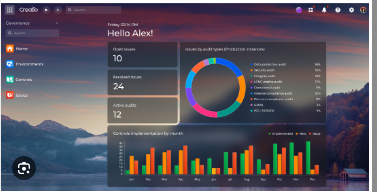 Creatio Studio Masterclass: Build An Idea Submission App Published 3/2026 Created by Ajay Varghese MP4 | Video: h264, 1920x1080 | Audio: AAC, 44.1 KHz, 2 Ch Level: Beginner | Genre: eLearning | Language: English | Duration: 11 Lectures ( 5h 18m ) | Size: 5.2 GB What you'll learn ✓ Design and build a complete Idea Submission and Innovation Management app from scratch ✓ Understand Creatio Studio's core concepts: data model, UI pages, and sections ✓ Configure workflows using Dynamic Case Management (DCM) ✓ Implement business rules, permissions, and reviewer logic ✓ Add gamification using business processes and points allocation ✓ Create dashboards, reports, and a leaderboard ✓ Extend Creatio apps with JavaScript and C# custom logic Requirements ● No coding experience required - we'll start from basics ● Access to a Creatio demo or trial instance (free registration) Description Are you ready to step into the world of No-Code and Low-Code application development? Go from Zero to App Builder in 20 Days with Creatio Studio. In this hands-on course, you'll learn how to design, build, and deploy a complete Idea Submission Application using Creatio Studio - an AI-native Low-Code/No-Code platform used by leading enterprises worldwide. Whether you're a developer looking to expand your skills or a business user exploring digital transformation tools, this course will guide you step-by-step through the entire application lifecycle. This is not a theory course - you'll build a fully functional app from scratch while mastering Creatio's Freedom UI, Dynamic Case Management (DCM), Business Rules, Integrations, and custom extensions. What You'll Learn By the end of this course, you'll be able to Design and model complete business applications using Creatio Studio Build pages, sections, data models, and relationships - all without coding Use Freedom UI to design responsive, dynamic interfaces with components, widgets, and layouts Implement business logic visually through Business Rules and conditional UI behavior Automate workflows with Dynamic Case Management (DCM) and visual progress bars Design and execute Business Processes (BPM) to automate approvals, reviews, and notifications Create report and email templates to generate documents and reports from within Creatio Manage access control using object, record-level, and column-level Permissions Configure roles and users, including organizational and functional roles, for proper governance Integrate social collaboration using Creatio's built-in Feed component Configure system lookups, settings, and workplaces Extend platform functionality with JavaScript and .NET for custom logic Bind data and migrate applications between environments efficiently Package, publish, and maintain your applications within the Application Hub Course Breakdown This course includes 10 practical, follow-along sessions, covering every step from idea to deployment Ep 1 | Introduction Ep 2 | Solution Design Ep 3 | Create Sections, Pages & Data Models Ep 4 | Build Data Models & Lookups Ep 5 | Enhance Your App with JavaScript Ep 6 | Build & Edit Idea Pages Ep 7 | Implement DCM & Workplaces Ep 8 | Secure Using Permissions & Business Rules Ep 9 | Gamify with Rewards points using BPM Ep 10 | Create Reports, Home Page & Leader board Bonus - Recap & Creatio Certification Guide Who this course is for ■ Creatio developers, admins, and business users ■ No-Code and Low-Code platform enthusiasts exploring Creatio ■ Innovation leaders building internal idea or innovation platforms ■ Anyone preparing for Creatio Certification Цитата:
|
| Часовой пояс GMT +3, время: 04:39. |
vBulletin® Version 3.6.8.
Copyright ©2000 - 2026, Jelsoft Enterprises Ltd.
Перевод: zCarot