
|
Ai For Kids And Parents - Discover, Create, And Explore
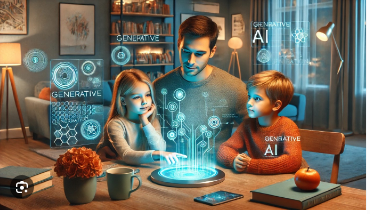 Ai For Kids And Parents - Discover, Create, And Explore Published 3/2026 MP4 | Video: h264, 1280x720 | Audio: AAC, 44.1 KHz, 2 Ch Language: English | Duration: 48m | Size: 243.05 MB What you'll learn Explain what Artificial Intelligence is and how it works, using simple, confident language Use popular AI tools including Microsoft Copilot, ChatGPT, Claude, and Gemini to get helpful answers Write effective AI prompts using the 3 Magic Ingredients framework to get great results every time Generate original images from written descriptions using Copilot Image Creator Apply AI as a study partner to understand tricky school subjects through personalised explanations Identify AI "hallucinations" and fact-check AI responses using trusted websites Produce creative projects - including stories, poetry, games, and designed worlds - in collaboration with AI Build a personal AI Adventure Plan with specific goals for continuing to learn and create beyond the course Requirements No prior knowledge of AI or technology is required - this course starts from absolute zero. Students need access to a web browser on a computer or tablet (phone screens are too small for comfortable use). All tools used in the course have a free version, so there is no cost beyond the course itself. A parent, teacher, or trusted adult should be present during hands-on lab activities, particularly for students under 8. Basic reading and typing ability is helpful, but even early readers can participate with adult support. Description This course contains the use of artificial intelligence. Note: This course is intended for purchase by adults. Those under 18 may use the services only if a parent or guardian opens their account, handles any enrollment, and manages their account usage. Does you keep hearing about AI - and wonder what it actually is? AI tools like ChatGPT, Copilot, and Gemini are already part of the world we all are growing up in. This course gives you the skills, the confidence, and the safety knowledge to use those tools well - starting from absolute zero. This course is a complete, structured introduction to Artificial Intelligence designed for beginning students. Over eight modules and more than thirty lessons, students go from never having used an AI tool to confidently chatting, creating artwork, writing stories, composing music, and fact-checking AI responses - all with appropriate guidance every step of the way. What makes this course different? Most AI content is made for those who already have a head start. This course was built from the ground up for younger learners, their parents, and beginners - with simple language, fun analogies, hands-on activities, and a clear safety framework woven through every module. We don't just teach students to use AI. We teach them to think alongside it. What you will learn What AI is, how it works, and why it matters right now How to use popular tools including Microsoft Copilot, ChatGPT, Claude, and Gemini The 3 Magic Ingredients framework for writing prompts that actually work How to generate original images using Copilot Image Creator How to create original music using Suno AI How to use AI as a study partner - without it doing the thinking for them How to spot AI "hallucinations" and fact-check responses using trusted sources How to stay safe online: what to share, what never to share, and when to ask for guidance 8 hands-on labs - because doing beats watching Every module ends with a real lab session where students use the tools themselves. They'll plan dream birthday parties, generate artwork of creatures they've invented, write adventure stories starring themselves, build original songs, and fact-check AI animal facts against a trusted source. The labs are the heart of the course - and students consistently say they're the best part. What's included 8 modules with 30+ video lessons 8 guided hands-on labs with real AI tools Prompt Cheat Sheet - ready-to-use prompts across every topic Lab Workbook - step-by-step instructions for every lab activity AI Word Glossary - 30+ terms explained in simple, kid-friendly language Tool Quick-Start Guides - get up and running with each tool in minutes Lifetime access and all future updates Designed with parents and teachers in mind Every tool recommended in this course is free and family-friendly. No personal information is required to use them. Every lab activity includes a clear reminder for students to work with a parent, teacher, or trusted adult present. And Module 7 is dedicated entirely to critical thinking - teaching students to question, verify, and never just take AI's word for it. This course is equally well-suited for home learning with a parent, and for primary school teachers looking for a structured, ready-to-use AI literacy program for their classroom. No experience needed. Just curiosity. If the student can type a sentence, they are ready for this course. No coding. No technical background. No expensive tools. Just a web browser and a sense of adventure. Enroll today - and let's see what you create. Who this course is for This course is designed for parents of children aged 6-10 who are curious about technology and want to learn how to use AI tools safely and creatively. It is equally well-suited for parents who want to learn alongside their child and understand the tools their kids will encounter, and for primary school teachers looking for a structured, age-appropriate introduction to AI literacy they can use in the classroom. No tech background is needed - if the student can send a message or type a sentence, they are ready for this course. |
| Часовой пояс GMT +3, время: 14:07. |
vBulletin® Version 3.6.8.
Copyright ©2000 - 2026, Jelsoft Enterprises Ltd.
Перевод: zCarot