
|
Master Enterprise Architecture Meta-Model: 2. Appl Layer
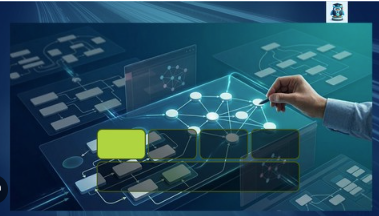 Master Enterprise Architecture Meta-Model: 2. Appl Layer Published 4/2026 Created by Xiaoqi Zhao MP4 | Video: h264, 1920x1080 | Audio: AAC, 44.1 KHz, 2 Ch Level: Expert | Genre: eLearning | Language: English | Duration: 17 Lectures ( 5h 43m ) | Size: 7.77 GB What you'll learn ✓ Navigate the Essential EAS Meta-Model: Understand the core classes and relationships of the Business Layer in version 6.21. ✓ Modern Ontology Management: Learn to use the latest Protégé (5.6.9) to explore and document complex meta-models. ✓ Graph Prototyping: Use arrows-app to visually prototype and validate architectural relationships before implementation. ✓ Graph Database Implementation: Master the basics of importing and managing architecture data in Neo4j Desktop. ✓ Real-World Application: Apply the meta-model to actual business scenarios based on global enterprise standards. Requirements ● A basic understanding of Enterprise Architecture concepts (TOGAF or ArchiMate knowledge is a plus). ● Familiarity with installing desktop software (Protégé and Neo4j Desktop). ● No prior coding experience is required, though a curiosity for graph logic and data structures is helpful. Description Bridge the Gap Between Abstract Frameworks and Data-Driven Architecture The Business Layer defined the "What" and "Who." Now, we tackle the "How." In many organizations, the Application Layer is a chaotic "black box" of legacy monoliths and fragmented microservices. To manage this complexity, you need more than just a list of names-you need a structured ontology. This second installment of our 5-part series dives deep into the Application Layer of the Essential Architecture Store (EAS) Meta-Model v6.21. We move beyond static spreadsheets to model applications as dynamic assets that support business capabilities and drive digital transformation. What You Will Learn in Part 2 This is a 100% hands-on deep dive into modeling the software landscape. We explore the critical relationships between business needs and technical implementation. • Application Services vs. Functions: Learn to distinguish between what an application does for the user and how it operates internally. • The Provider/Instance Logic: Master the complex EAS logic of distinguishing between a "Software Product" (the vendor's version) and an "Application Provider" (your organization's specific deployment). • Integration & Data Flow: Stop drawing lines; start modeling interfaces. We will map how data moves between systems using a graph-based approach. • Lifecycle & Disposition: Use the meta-model to drive strategy. We will model application roadmaps (Buy, Hold, Retire) to automate portfolio rationalization. Module Breakdown Module 1: Expanding the Schema • Reviewing the connection: How the Application Layer anchors to the Business Layer. • Setting up the Application Meta-Model in Protégé 5.6.9. • Introduction to the Application Provider and Application Deployment classes. Module 2: Modeling the Portfolio • Application Capabilities: Mapping software to the Business Capabilities defined in Part 1. • Application Types: Categorizing by Cloud, On-Premise, SaaS, and Custom-built. • Logical vs. Physical: Separating the conceptual "System" from the physical "Installation." Module 3: Integration and Interfaces • Defining Application Services as the "contracts" between systems. • Using arrows-app to prototype complex integration patterns (API, Batch, Message Queue). • Capturing Data Objects: What information is being moved and who owns it? Module 4: Advanced Graph Analysis in Neo4j • Impact Analysis: Running Cypher queries to see which Business Processes break if an Application goes down. • Portfolio Health: Visualizing application "technical debt" and lifecycle status using graph nodes. • The "Application 360" View: Creating a holistic dashboard of an application's ecosystem. The Tech Stack Continuing our "Architecture as Code" philosophy, we use • Protégé 5.6.9: For managing the Application Layer ontology and slots. • Neo4j: For high-performance visualization of application dependencies. • arrows-app: To build prototype for neo4j graph database. • GitHub: Access to updated Cypher scripts and updated Meta-Model templates. Your Roadmap to Mastery You've mastered the Business Layer. Now, connect it to the software. By the end of this course, you will have a functional, queryable model of your application landscape that provides real-time insights to stakeholders. • Business Layer (Completed) • Application Layer (Available Now) • Information Layer: Mastering data objects and flows. • Technology Layer: Modeling infrastructure and cloud. • Enterprise Support: Governance and Change. Don't just catalog your apps-architect them. Join Part 2 and bring your application portfolio to life. Who this course is for ■ Aspiring & Seasoned Enterprise Architects looking to deepen their meta-modeling skills. ■ Solution Architects who want to understand how business requirements map to technical structures. ■ Data Architects interested in the intersection of EA and Graph Databases (Neo4j). ■ IT Strategy Consultants seeking a rigorous framework for documenting client landscapes. Цитата:
|
| Часовой пояс GMT +3, время: 06:28. |
vBulletin® Version 3.6.8.
Copyright ©2000 - 2026, Jelsoft Enterprises Ltd.
Перевод: zCarot