
|
Blender Lego Head Animation || Full Process || 2026
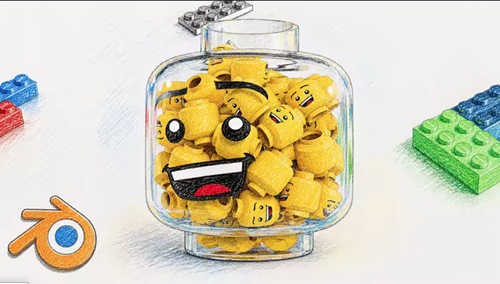 Blender Lego Head Animation || Full Process || 2026 Published 5/2026 MP4 | Video: h264, 1920x1080 | Audio: AAC, 44.1 KHz, 2 Ch Language: English | Duration: 2h 1m | Size: 2.43 GB What you'll learn Create a clean and realistic Lego head model from scratch in Blender Build professional materials for plastic and glass objects Set up studio lighting for high-quality product-style renders Animate smooth and visually appealing product rotations Use camera techniques like depth of field for cinematic results Enhance final renders using compositing and color correction Understand the full workflow from modeling to final render Requirements No prior Blender experience is required Basic computer skills and ability to navigate software Blender installed (any recent version) A computer capable of running Blender smoothly Willingness to learn and experiment with 3D tools Description Blender Lego Head Animation Course Want to create clean, professional-looking 3D animations in Blender? In this course, you'll learn how to build a stylized Lego head product animation from scratch using techniques that can be applied to portfolio work, social media, or commercial projects. What you'll learn In this course, we go step by step through the full workflow • Modeling a realistic Lego head with correct proportions and details • Creating materials and shaders for plastic and glass • Setting up studio lighting for clean reflections and highlights • Building a smooth, product-style animation • Working with camera, depth of field, and composition • Using compositing to enhance colors, glare, and overall quality By the end, you'll know how to turn a simple idea into a polished final render that looks like a real product shot. Why this course stands out This is more than just a typical Blender tutorial. You'll develop the mindset of a 3D artist focused on product visualization and learn how to • Create renders that look clean, polished, and professional; • Manage lighting and reflections, especially for glass and plastic materials; • Develop simple yet visually appealing animations; • Present your work in a portfolio-ready manner. After this course You'll have a solid foundation to explore more advanced topics such as Geometry Nodes, physics simulations, advanced shaders, and cinematic animation techniques. Who this course is for Beginners who want to start learning Blender through a practical, project-based approach Intermediate users looking to improve their lighting, materials, and render quality Creators interested in product-style animations and clean visual presentation Anyone who wants to build portfolio-ready 3D work Designers, motion artists, or hobbyists who want to expand their 3D skills Цитата:
|
| Часовой пояс GMT +3, время: 23:55. |
vBulletin® Version 3.6.8.
Copyright ©2000 - 2026, Jelsoft Enterprises Ltd.
Перевод: zCarot