
|
Power Bi For Hr: From Zero To Dashboard - 2026
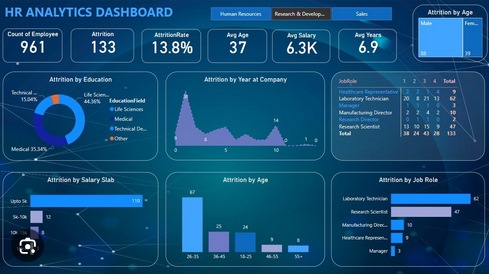 Power Bi For Hr: From Zero To Dashboard - 2026 Published 5/2026 Created by Juliet Rodrigues MP4 | Video: h264, 1920x1080 | Audio: AAC, 44.1 KHz, 2 Ch Level: Intermediate | Genre: eLearning | Language: English | Duration: 105 Lectures ( 7h 58m ) | Size: 6.4 GB What you'll learn ⚡ Understand Power BI's role in data-driven HR decision-making ⚡ Install, configure and navigate Power BI Desktop with confidence ⚡ Clean and transform messy HR data using Power Query Editor ⚡ Build data models by creating relationships between HR tables ⚡ Learn how to use Text Boxes, Shapes, Images, maps, and other visuals. ⚡ How to turn data into insight and data into interactive visualizations to tell a story ⚡ Learn Dashboard-in-a-day at your own pace at home, office or from anywhere ⚡ Hands on course will prepare you to start your data analytics career from scratch ⚡ Create charts using visuals like column, line, pie, combo, Scatter, Treemap, Funnel, Gauges and KPIs and many more Requirements ❗ No prior Power BI experience required - the course starts from absolute zero ❗ A Windows PC or laptop (Power BI Desktop is a free, Windows-only application) ❗ Basic familiarity with Excel is helpful but not required ❗ HR experience or an interest in people analytics is an advantage Description Full Course Description Module 1: Power BI for HR Learn why HR needs Power BI - track recruitment, attrition, performance & compensation with real-time, automated dashboards. No tech skills needed. Module 2: Installing Power BI Step-by-step guide to downloading, installing & launching Power BI Desktop. Covers system requirements & first-time setup for HR professionals. Module 3: Interface of Power BI Navigate Power BI's Left, Right & Top panels. Master Report, Table, Model & DAX views to build, format & manage interactive HR dashboards confidently. Module 4: Uploading Data in Power BI Connect HR data from Excel, SQL & HRMS platforms. Clean duplicates, fix missing values & build relationships between Employee, Payroll & Attendance tables. Module 5: Data Transformation & Power Query Clean messy HR data - remove duplicates, fix nulls, build salary slabs, age bands & tenure buckets. Merge payroll tables & prep perfect data for dashboards. Module 6: Data Modelling & Relationships Connect HR tables accurately using One-to-Many, One-to-One & Many-to-Many relationships. Master cardinality, cross-filter direction & active vs inactive relationships. Module 7: Advanced DAX for HR Analytics Write 20 essential HR DAX measures - headcount, attrition rate, average salary, tenure, gender diversity & time intelligence. Built exclusively for HR data. Module 8: Core Power BI Visuals & HR Use Cases Master 16 Power BI visuals - column, line, donut, funnel, scatter, waterfall & decomposition tree - all mapped to real HR reporting scenarios and dashboards. Module 9: Employee Master Dashboard Build a full HR Analytics Dashboard for PharmaCorp - 8 KPI cards, 10 visuals, DAX measures & a Predictive Attrition Risk Model scoring every employee High, Medium or Low. Insights and Recommendations Extract 15 HR insights & 10 strategic recommendations from your dashboard. Build a Priority Action Matrix & present findings confidently to senior HR leadership. Who this course is for ⭐ HR Fresher / Trainees ⭐ HR Analytics ⭐ HR Manager or HRBP ⭐ HR Head, CHRO Homepage Код:
https://anonymz.com/?Цитата:
|
| Часовой пояс GMT +3, время: 05:15. |
vBulletin® Version 3.6.8.
Copyright ©2000 - 2026, Jelsoft Enterprises Ltd.
Перевод: zCarot