
|
S3d Equipment Modelling-English (part-1)
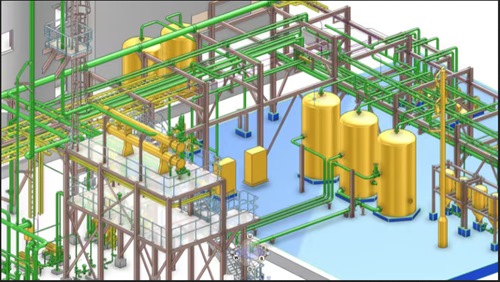 S3d Equipment Modelling-English (part-1) Published 5/2026 MP4 | Video: h264, 1920x1080 | Audio: AAC, 44.1 KHz, 2 Ch Language: English | Duration: 5h 11m | Size: 2.81 GB What you'll learn S3d Equipment modelling methods S3D basics commands Equipment tools & icons Concepts of modelling Requirements S3d crack version software Description Description S3D EQUIPMENT MODELLING-ENGLISH (PART-1) course focuses on teaching equipment modelling using S3D software. Key Highlights - Understanding S3D software interface - Creating equipment models accurately - Optimizing equipment designs What you will learn -Introduction to S3D software Learn about the basic features and tools of the software for equipment modelling. -Equipment modelling techniques Explore step-by-step methods to create detailed equipment models efficiently. -Advanced equipment design Master the techniques to optimize and enhance equipment designs for various projects. Master S3D Piping Design Starting with SP3D - Modifying Database and server location - Units defining and Opening S3D - introduction - When you enrol in the course, it will be very helpful for beginning and intermediate learners to have greater confidence using the tool so that students will have a solid understanding of the programme. - You will have about three years of sp3d software knowledge when you start the course, and I'll go through every working point of view topic for modelling equipment. - Here, we demonstrate how to use pallets and command boxes to construct a site project, a zone, and equipment and sub-equipment. S3D basics commands - Defining work space - Describe basic setting - how to Creating filter - how to create Types of Filters and applications - how to do Undo, Copy, Paste, Paste and Restore, Locate Filter, Delete, Move, Rotate Object, Mirror Copy - how to Update Names, Properties - using Clip by Object, Clip by Volume or Plane, Clear Clipping, Active View Control, Previous View - how to Checking Interferences, Run Report, Drawing Console, Snapshot View, Custom Commands - how to use Utility, Options, Weight & CG Command, Claim, Release Claim, Assign to WBS - how to use Update WBS Assignments, Cascade, Tile Horizontally, Tile Vertically, Help - Printable Guides, Custom Documentation - how to use Next View, Named Views, Common Views, View by Points, Rotate View, Look at Surface - how to use Zoom Tool, Navigate View, Zoom Area, Fit, Pan, Workspace Explorer, Rulers, To Do List - Note, Control Point, Format View, Format Style, Surface Style Rules, Show, Hide, Show All - how to fix PinPoint, SmartSketch Options, Add to SmartSketch List, Get Point, Point Along, Measure Who this course is for Beginners & Intermediate Цитата:
|
| Часовой пояс GMT +3, время: 00:07. |
vBulletin® Version 3.6.8.
Copyright ©2000 - 2026, Jelsoft Enterprises Ltd.
Перевод: zCarot