
|
Freecad V1.1 2026 Ultimate Beginners Course Extended Version
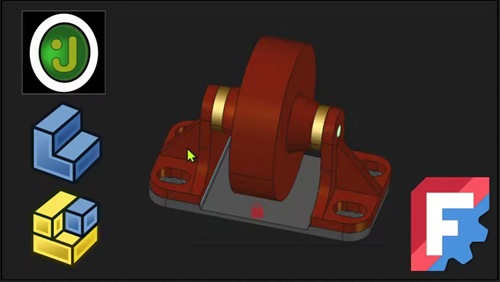 Freecad V1.1 2026 Ultimate Beginners Course Extended Version Published 6/2026 MP4 | Video: h264, 1920x1080 | Audio: AAC, 44.1 KHz, 2 Ch Language: English | Duration: 2h 14m | Size: 1.25 GB Extended version of the Ultimate Beginners Crash Course. Learn freeCAD Part Design modelling and Assembly. What you'll learn Understand how to build simple models in freeCAD using the Part Design workbench Understand how to create assemblies and sub assemblies using FreeCAD's Assembly workbench Be able to export your models from FreeCAD for 3D printing and sharing for both individual parts and whole assemblies Accurately dimension your model for precision modelling in FreeCAD's Sketcher workbench Understand the modeling process from 2D sketching to adding volume to create three dimensional models Requirements No previous CAD knowledge needed Windows, Mac or Linux. The course is demonstrated using windows but the program is the same on all platforms No previous knowledge of FreeCAD itself Description Fully updated for 2026 and built aroundFreeCAD 1.1, this course is designed for complete beginners, makers, engineers, hobbyists, and anyone moving from another CAD package into FreeCAD's modern parametric workflow. This is the expanded version of my originalFreeCAD 1.0 Ultimate Beginner's Crash Course in 1 Hour . Since FreeCAD has evolved significantly since version 1.0, a completely updated course was needed, now featuring extended assembly workflows, reusable clone-based design methods, and fully working non-rigid sub-assemblies. What You'll Learn Part Design Fundamentals You'll begin by learning thePart Design workflow, creating serval 3D parts while developing essential FreeCAD skills. You'll learn how to - Create and fully constrain sketches - Use multiple sketching techniques and geometry tools - Build 3D models using additive and subtractive operations - Use operations on profiles to create pads, pockets, mirrors etc - Branch from features in one model to create variants that keep in sync with changes - Organise and manage your model history effectively - Refine and prepare geometry for production FreeCAD Setup and Workflow Get comfortable with the FreeCAD environment and configure it for efficient modelling. You'll learn how to - Install FreeCAD - Customize the interface and navigation - Improve workspace efficiency - Understand FreeCAD's parametric design workflow Assemblies and Sub-Assemblies The second half of the course focuses on assemblies using FreeCAD's modern Assembly Workbench. You'll learn how to - Create complete assemblies from individual components - Add joints and constrain parts correctly - Build reusable sub-assemblies - Work with non-rigid assemblies - Reuse parts and sub-assemblies across projects - Create stable joints between components - Use advanced offsets for changing the orientation and movement of joints. Exporting In both sections you will learn how to export the finished parts, components, assemblies and sub assemblies to share and fabricate i.e. for 3D printing. You'll learn - Understand the different export formats. - Export parts, sub-assemblies and complete assemblies to various formats - Export from different stages of your feature tree By the end of this course, you'll have a solid understanding of FreeCAD 1.1 and the confidence to create your own parametric models and assemblies from scratch. Who this course is for Total Beginners Someone who is transitioning from another CAD package Hobbyists, Professions etc |
| Часовой пояс GMT +3, время: 14:38. |
vBulletin® Version 3.6.8.
Copyright ©2000 - 2026, Jelsoft Enterprises Ltd.
Перевод: zCarot