
|
Pinta The Complete Course
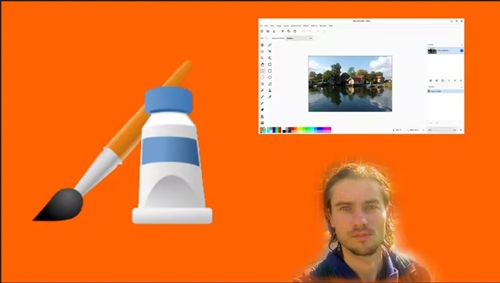 Pinta The Complete Course Published 6/2026 MP4 | Video: h264, 1920x1080 | Audio: AAC, 44.1 KHz, 2 Ch Language: English | Duration: 7h 38m | Size: 6.03 GB What you'll learn Master dashboard Master navigation Create document Export document Transform images Crop images Create selections Master layers Transform layers Create shapes Add colors Create gradients Use brush Use eraser Master adjustments Master effects Improve photos Create montages Create graphic documents Requirements You need to download Pinta Description Pinta software Pinta is a photo editing and processing software with numerous features that allow you to manage, edit, correct, and enhance images. It also allows you to work with drawing tools and create graphic documents. Pinta is a free software for basic photo editing, for this reason, you won't find very advanced features in Pinta. Indeed, it's a versatile tool for working with images, focusing on the essentials. The advantages of the software is that it focuses on all the basic image processing features, without including tools that some users don't want. The software allows you to do the majority of your image processing. It's suitable for people who want a versatile tool without advanced features to work with images, create enhancements, and make montages quickly. The graphic interface is ergonomic for efficient image processing. Software advantages - Ergonomic interface - Versatile software - Work with layers - Selection tools - Image processing tools - Numerous effects - Fast photo montage - Fast photo editing Training course In this training course, you will learn to use Pinta from scratch. With a step by step structure, you will learn Pinta software to master photo editing, photo retouching, and the creation of graphic documents. By the end of the training course, you will master all the features of the software. All the tools are explained in detail, you will learn how to work with selections, master layers, use photo adjustments, and add effects. At the end of the training course, numerous exercises will allow you to apply all the features seen in the course. Who this course is for People who want to improve photos People who want to edit photos People who want to create montages People who want to create graphic documents Цитата:
|
| Часовой пояс GMT +3, время: 19:38. |
vBulletin® Version 3.6.8.
Copyright ©2000 - 2026, Jelsoft Enterprises Ltd.
Перевод: zCarot