
|
Sketchup Modeling Workflow(subdivision) For Interior Design!
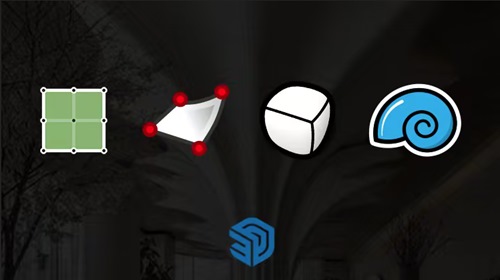 Sketchup Modeling Workflow(subdivision) For Interior Design! Published 7/2026 MP4 | Video: h264, 1920x1080 | Audio: AAC, 44.1 KHz, 2 Ch Language: English | Duration: 4h 13m | Size: 5.08 GB What you'll learn Master the core functions and workflow logic of Artisan2、SubD、 Vertex Tools² and QuadFace Tools. Create curved walls, arched ceilings, and custom-shaped structures commonly used in interior design. Furniture modeling, such as: armchair, sofa...... Understand the full workflow from block-out to refined curved models for higher efficiency. Requirements Have some experience with SketchUp and know how to use some plugins Interior designers and related professionals It is recommended to install Artisan2, SubD, Vertex Tools², and QuadFace Tools before starting The course will also cover other functional plugins, such as "Joint Push Pull" "FredoSpline" "Mirror" and others. Description A modeling workflow that primarily uses the "Artisan2," "SubD," "Vertex Tools²," and "QuadFace Tools" plugins. - However, you'll also need the following plugins to support these functions "JHS Power Bar" "Fredo Joint Push Pull" "Fredo Tools" "Fredo Spline" "Fredo Tools on Surface" "Bevel" "Fredo Corner" Or a plugin with similar functionality - The course is divided into five main chapters Chapter 1 primarily introduces the basic usage of the plugins in this workflow. Chapter 2 primarily covers the advanced use of plugins in this workflow, which will be helpful for understanding the subsequent lessons. Chapter 3 begins by teaching you how to use this workflow through practical modeling examples. This chapter focuses primarily on examples of columns and ceiling designs. Chapter 4 focuses primarily on modeling examples of walls and ceilings. Chapter 5 focuses primarily on modeling examples of furniture. - I'll be updating the tutorial series gradually, but the videos will be sped up and won't go into too much detail. My main goal is to share my daily modeling process and approach. As long as you've mastered the content from the first five chapters, I'm confident that the accelerated versions will also be helpful to you. Thank you all for your support. Who this course is for People who want to improve their advanced SketchUp modeling skills People who want to learn curved surface modeling and furniture modeling Want to master different methods and efficient workflow for modeling Цитата:
|
| Часовой пояс GMT +3, время: 01:10. |
vBulletin® Version 3.6.8.
Copyright ©2000 - 2026, Jelsoft Enterprises Ltd.
Перевод: zCarot