 Description:
 An All-in-One Disk Partition Manager. One-click migrate Windows OS to SSD without reinstalling system. Effectively clone your entire hard drive to backup your data or upgrade to a larger hard drive without data loss. Simply create WinPE bootable disk for non-bootable computer to clone or repair hard drive.
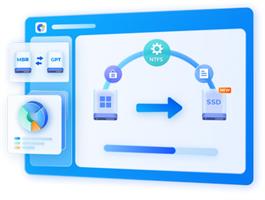
Effortlessly repair, recover and restore partition from your computer or other storage devices.
Easily check if your PC could be updated to Windows 11 for free, convert MB R to GPT for upgrade without data loss.
Flexibly resize/split/create/delete/format partitions to optimize disk space, recovery partition remove supported now.
Disk Cloning Mode
You can effortlessly and securely copy or transfer data from one drive to another. This feature allows you to back up your data and seamlessly upgrade to a larger hard drive without losing data.
Partition Cloning Mode
Designed for cloning specific partition data, this mode enables you to effortlessly transfer or back up the contents of a specific partition on a drive to another partition without any data loss.
One-click OS Migration Wizard for Windows 10 & 11
Quick System & Data Transfer Solution. 4DDiG Partition Manager can migrate system and large files or folders from one disk partition to a larger one in one click.
Migrate OS to SSD/HDD
One-click migrate your Windows OS to another HDD or SSD for better computer performance.
Upgrade to a Larger SSD
Replace or upgrade a smaller drive to a larger one or SSD disk.
Safely Transfer Everything
System migration will safely transfer all data on the system drive from one PC to another, including installed apps, system updates, drivers, custom settings, and more.
No Need to Reinstall the System
Transfer your operating system to a new drive without reinstalling Windows, saving time and effort.
All-inclusive Disk Partition Manager for Beginners
Quick System & Data Transfer Solution. 4DDiG Partition Manager can migrate system and large files or folders from one disk partition to a larger one in one click.
Resize / Move Partition
Adjust partition size without losing data, move partition within disk boundaries, redistribute free space.
Extend/Shrink Partition
Extend partition by taking free or unallocated space from the same disk or shrink partition to make room for other partitions.
Split Partition
Divide a partition into two or multiple smaller partitions to store different types of data.
Merge Partition
Merge two adjacent partitions on a disk into a larger partition without data loss to expand the space of a specific partition.
Create Partition
Create new partition(s) from unallocated space to improve the efficiency of data storage.
Release Name: 4DDiG Partition Manager 4.3.1.8
Size: 90.7 MB






 4ddig Partition Manager 4.3.1.8

