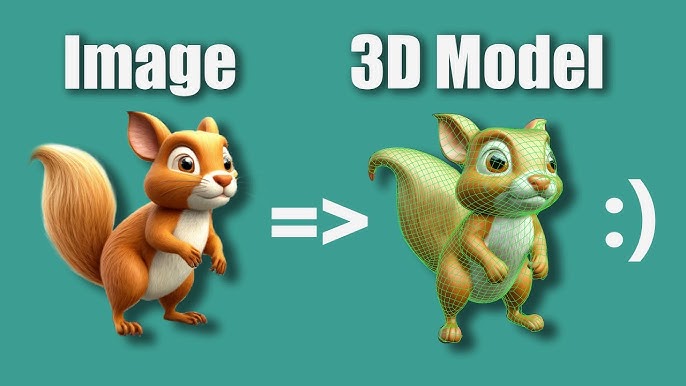
Making Production Ready 3d Ai Assets
Published 12/2025
MP4 | Video: h264, 1920x1080 | Audio: AAC, 44.1 KHz, 2 Ch
Language: English | Duration: 6h 44m | Size: 6.53 GB
The Comprehensive AI 3D Modeling Course
What you'll learn
Build a complete pipeline from AI-generated models to production-ready assets.
Master techniques to clean up, optimize, and refine AI model topology and UVs.
Create professional, high-quality PBR materials and textures.
Successfully implement and render final assets in Unreal Engine and 3ds Max (V-Ray/Corona).
The course focuses on professional workflow and problem-solving for AI outputs, not software basics. A willingness to learn specific techniques for refining imp
Requirements
Foundational 3D Knowledge: You must understand core 3D concepts like mesh topology, UV unwrapping, and PBR materials. This course fixes these on AI models; it doesn't teach them from scratch.
Basic Software Proficiency: Familiarity with the interface and core tools of at least one primary software used in the course (e.g., Blender, ZBrush, or 3ds Max). You should know how to navigate, select, and perform basic edits.
Description
Course Overview: AI-Generated Models to Production-Ready AssetsAre you seeking a direct pipeline to integrate AI-generated models into your professional 3D production workflow? This course is your complete roadmap! The Comprehensive AI 3D Modeling Course, a specialized collaboration between Milad Kambari and Mehdi Beheshti, not only familiarizes you with AI tools but covers the entire process of transforming a raw AI output into a professional Asset ready for use in gaming, rendering, or sales.Your learning journey is structured into three focused sections:Section 1: Establishing the Foundational Pipeline (Three Projects)In this section, we establish the foundational pipeline for transforming an AI output into a game-ready asset through three distinct projects:Project 1 - "Apple": The full process is executed from start to finish: mesh topology cleanup, UV rebuilding, PBR texture value adjustments in Substance Painter, and the final model setup in Unreal Engine, including materials and Collision settings.Project 2 - "Bread": The focus shifts to optimization and quality improvement: refining the mesh shape using Blender sculpt tools, learning efficient techniques for combining meshes for texturing, final rendering in Marmoset Toolbag, and complete integration into Unreal Engine with LOD creation.Project 3 - "Wooden Piece": Designed to reinforce core skills, focusing on topology cleanup, UV corrections, and texture refinement.Section 2: High-Quality Asset Creation and Visualization FocusWe delve deeper into selecting the best AI outputs and creating a high-detail asset, such as an armchair. We compare various AI outputs to determine the most production-suitable base model. We then transition to ZBrush to transform the High-Poly model using essential techniques like Masking and Polygroups. You will learn different Low-Poly approaches: Decimation (for Nanite workflows) and Quad Topology (for traditional displacement-based pipelines).This section is complemented by an industrial application focus: The high-quality asset is taken into 3ds Max to demonstrate material setup and rendering using V-Ray and Corona, showing how the asset can be adapted for the visualization and architectural rendering industries. This section is delivered by Mehdi Beheshti and includes a special focus on V-Ray and Corona rendering settings within 3ds Max for architectural renders.Section 3: Full Pipeline for a Complex Game-Ready AssetThis section culminates in a comprehensive, game-focused production pipeline for a complex asset. We bring the model into ZBrush for significant refinement and detailing to create the final High-Poly version. We then move to Substance Painter for full, professional-grade material and texture creation.The final stage is in Unreal Engine: asset export, building advanced materials, setting up precise Collision, and even implementing Destruction Capability for dynamic gameplay scenarios.Collaboration and Commitment: This course is a joint effort: Milad Kambari prepared the AI modeling and website introduction sections, while Mehdi Beheshti prepared the file readiness for Unreal and the V-Ray/Corona rendering sections.Our Commitment to You: Given that AI websites are constantly being updated, we commit to updating the course content concurrently with major updates to these platforms, ensuring you always remain at the highest level of current knowledge and tools.Tools Covered in This Course: Throughout the course, you will work with industry-standard tools including: 3ds Max, Corona, V-Ray, Blender, RizomUV, ZBrush, Marmoset Toolbag, Substance Painter, and Unreal Engine.
Who this course is for
Game Artists (Junior to Mid-Level) who want to speed up asset prototyping and learn a reliable workflow for cleaning up and optimizing AI models for real-time engines like Unreal Engine
3D Modelers & Generalists looking to add AI as a powerful starting point in their workflow, and who need to master the essential techniques for refining raw AI outputs into final, usable assets.
Architectural Visualization Artists interested in using AI to quickly generate complex decor, props, or sculptures, and then bringing them to photorealistic standards in renderers like V-Ray and Corona.
Freelancers & Asset Creators who want to produce high-quality, game-ready or market-ready 3D content more efficiently for platforms like TurboSquid or the Unreal Marketplace.
Technical Artists seeking to understand the specific challenges, topology issues, and optimization strategies required to make AI-generated geometry work in a professional production environment.






 Making Production Ready 3d Ai Assets



