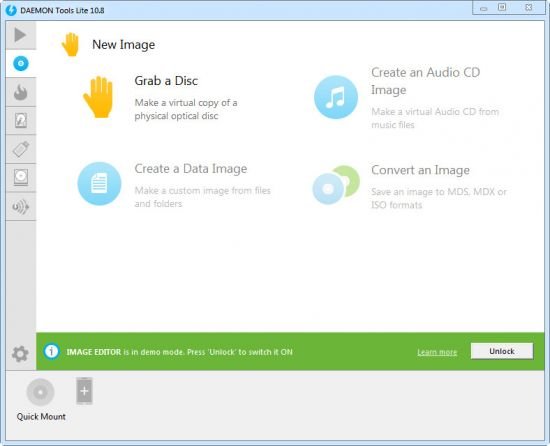
 DAEMON Tools Lite 12.4.0.2380 Multilingual | Size: 43.52 MB
Language: English
[/center]
DAEMON Tools Lite offers easy tools for making simple disc image files and emulating virtual CD, DVD and Blu-ray drives. It is an advanced application for Microsoft Windows which provides one of the best optical media emulation in the industry. DAEMON Tools enables you to convert your physical CD/DVD/Blu-ray discs into "virtual discs" so called "images". You can use your CD/DVD/BD images as if they were already burned to CD/DVD/Blu-Ray. It also emulated up to 4 virtual CD/DVD/BD drives, so you can mount (insert) and unmount (eject) images. Virtual drives will appear in your OS just like real ones. Select a virtual drive then choose a disc image you want to mount. Find the created virtual drive with mounted disc image in My Computer and start working.
With DAEMON Tools Lite you can create ISO, MDS/MDF and MDX image files from original discs inserted in physical CD, DVD and Blu-ray drives.
Do you want to protect your image content from unauthorized use? DAEMON Tools enables you to set unique password and only the ones who know it will be able to mount that image and get all contained data. If you want images to take less hard drive space just enable "Compress image data" option before start disc imaging process. You could also use images created with other programs. DAEMON Tools products work with variety of image types.
Functionality
• Mount *.mdx, *.mds/*.mdf, *.iso, *.b5t, *.b6t, *.bwt, *.ccd, *.cdi, *.bin/*.cue, *.ape/*.cue, *.flac/*.cue, *.nrg, *.isz disc images to a virtual drive
• Create .iso, *.mds/*.mdf and *.mdx images of CD, DVD, Blu-ray discs
• Compress your images
• Protect images with password
• Manage your Image Collection
Media devices virtualization
• Create up to 4 virtual devices (DT and SCSI in all) to mount several images simultaneously
• Customize virtual drives: change a drive letter, DVD region, etc
Simple user interface with basic system integration
• Get quick access to all functionalities via program icon in the System Tray
• Use File Associations to mount images right from Windows Explorer
• Use powerful Command Line Interface for automation purposes
• Perform basic actions via handy DAEMON Tools Gadget on Windows Desktop
MountSpace - virtual disc usage statistic on-line service
• Keep track of the disc image usage statistic
• Find out Top 100 most popular images
• Search other discs similar to yours
• Search for disc images that you are missing
• Browsing for most relevant gameplay videos and much more Whats New[/url]
HOMEPAGE:
Код:
https://upzur.com/su9ybs1c6l97/DAEMON_Tools_Lite_12.4.0.2380_Multilingual.rar.html

https://rapidgator.net/file/b6266ea22909067c415bb6af664498a1/DAEMON_Tools_Lite_12.4.0.2380_Multilingual.rar.html






 Daemon Tools Lite 12.4.0.2380 Multilingual

