Cad Autodesk Inventor Basics: Beginner Crash Course
Last updated 6/2025
Created by Jordan Keech
MP4 | Video: h264, 1920x1080 | Audio: AAC, 44.1 KHz, 2 Ch
Level: Beginner | Genre: eLearning | Language: English + subtitle | Duration: 42 Lectures ( 6h 14m ) | Size: 3 GB
✓ How to navigate the Autodesk Inventor interface
✓ How to use an array of 2D & 3D sketch tools to create and manipulate models and sketches
✓ How to save and manage Inventor related files in a organised and tidy way
✓ How to best setup your device for the use of Inventor
✓ How to create parts and assemblies for engineering drawings
✓ How to use almost every tool in the 2D, 3D and Draughting enviroments.
✓ How to take your models and display them in a drawing clearly for its creation in real life
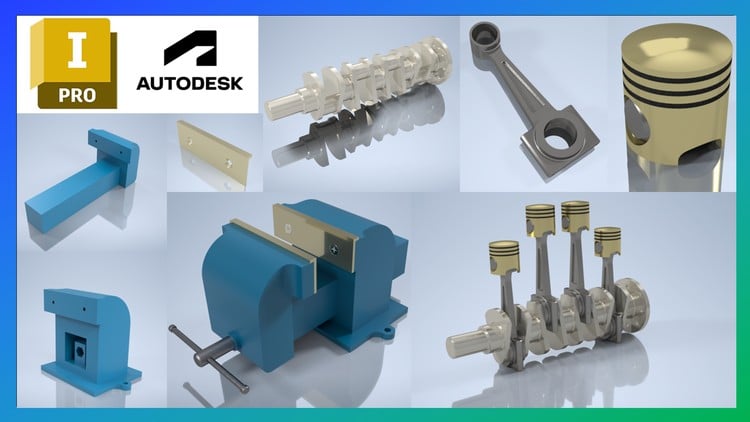
✓ You will put together a typical workshop vice, creating all the parts, assemblies and drawings for it
Requirements
● No existing experience is required as the course will guide you from the very beginning
Description
This course has been designed to be the most comprehensive learning tool for any beginner to pick up and start learning not only all the basics within the Autodesk Inventor software but to also gain a grasp on a wide range of the tools you'll have at your disposal. On completion of the course you're certain to have a better understanding of what's possible with the programme resulting in yourself being an invaluable asset in the CAD / Engineering industry.
Throughout the course you will learn how to take a 2D sketch and turn that into a 3D model, from there you can take this 3D model and convert it into an engineering drawing that can be used by machinists in the real world.
The course focuses on the tools you can use and where you will be typically using them. Your learning throughout the duration of the course will be solidified through the designing of a workshop vice. At the end of the course you will have a 3D model of the workshop vice including all of the parts and drawings that make this up, and a personalisable drawing border of which you can use in your own professional career.
At the end of the course you can follow along modelling all the parts for an engine assembly. Undertaking this exercise provides an opportunity to apply all the knowledge you recently gained ensuring that you remember more of what you learn.
About this course
Follow along with our expert instructor in this training course to get
• 6.0+ hours of HD video tutorial
• Over 40 individual video lectures
• Multiple Assignments
• Full lifetime access
Who this course is for
■ This course is designed for beginner to intermediate students looking to build a strong foundation of which they can further there CAD skills and CAD career with.






 Cad Autodesk Inventor Basics: Beginner Crash Course

