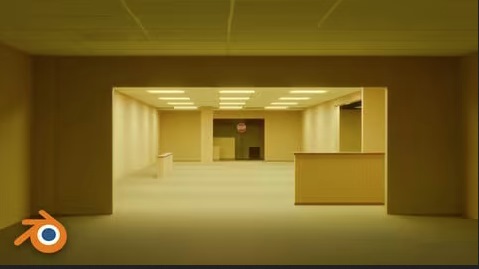
 Backrooms In Blender 2026 (procedural And Beginner Friendly)
MP4 | Video: h264, 1920x1080 | Audio: AAC, 44.1 KHz
Language: English | Size: 3.98 GB | Duration: 1h 55m
"Beginner-friendly course including the Backrooms Generator add-on, animation, lighting, and cinematic rendering workflo
What you'll learnBuild a solid foundation in Blender and gain confidence working in a professional 3D environment.
Get free access to the "Procedural Backrooms Generator", a premium Blender add-on that is sold separately on other marketplaces.
Learn how to speed up your Blender workflow by using ready-made tools and assets instead of creating everything from scratch.
Create the complete cinematic animation shown in the course introduction, from start to finish.
Requirements
Blender (free 3D software). No previous Blender experience required. An average computer capable of running Blender
Description
Backrooms, the most famous liminal space on the internet, was originally brought to life in Blender by creator Kane Parsons. After achieving massive success on YouTube, the project evolved into a film adaptation and became a global phenomenon, making it the perfect inspiration for this Blender tutorial.In its original form, Backrooms was presented on YouTube as found VHS footage from the 1990s. This visual style makes CGI production significantly easier, as the low resolution, VHS artifacts, image noise, and heavy motion blur hide many of the finer details. As a result, even relatively simple renders can appear convincing and realistic without requiring an excessive amount of work on small details.However, if we want to achieve a look similar to the latest Backrooms film, which takes place in the present day, things become significantly more challenging. Unlike the VHS aesthetic of the original series, modern 2K and 4K resolutions reveal almost every detail and imperfection. Without blur, image noise, and other effects that help hide flaws, the technical execution in Blender needs to be much more refined. Modeling, materials, lighting, and rendering all have to be carefully crafted to achieve a convincing and professional result.Fortunately, even if you're new to Blender, there are now tools and add-ons that can significantly speed up and simplify the entire process. One of those tools is my Procedural Backrooms Generator, which is included free with this course.But even with ready-made tools like this, it's still important to understand the basics of Blender so you can avoid potential issues, customize and adjust certain things to your liking, or at the end create an animation like the one from the intro, because the tool creates a scene but not an animation.Using it, we can dramatically speed up scene creation and focus more on the creative aspects of the project, such as lighting, composition, animation, and atmosphere, rather than spending hours building everything from scratch.That is exactly what this course is about. We will use my Procedural Backrooms Generator to speed up the workflow, but along the way, we will also cover a wide range of Blender topics.So even if Backrooms itself is not a topic that particularly interests you, this course is first and foremost a Blender course. The techniques and workflows you'll learn can be applied to many different projects far beyond the Backrooms universe.In addition to the Procedural Backrooms Generator, all other resources required to follow along with the course are included.
This course is suitable for both beginners and more experienced Blender users. Basic Blender knowledge is helpful but not required.
Код:
Https://anonymz.com/?
https://www.udemy.com/course/backrooms-in-blender-2026-procedural-and-beginner-friendly/






 Backrooms In Blender 2026 (procedural And Beginner Friendly)

