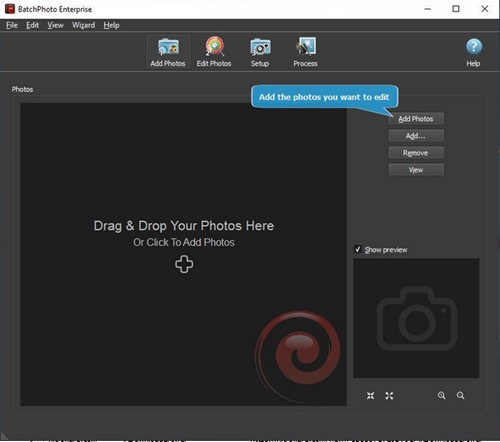
 Batchphoto 5.1.1 Multilingual
File size: 29.1 MB
Do you have repeatable and predictable actions to apply to your massive photo collection? Actions like: resizing, converting, date/time stamping, cropping, watermarking, renaming, and so on? Since 2005 we've been working hard to make BatchPhoto the best tool for automating those repeatable actions!
Functionality
- Edit and convert hundreds of digital photos in one session with support for multi-core CPUs.
- Convert to and from 170+ image formats, including: JPEG, TIFF, PNG, GIF, BMP, and more.
- Change the cryptic names generated by digital cameras to meaningful names.
- Edit your photos and upload them to Facebook or Flickr in the same session.
- Edit images, optimize for web use, then upload to FTP.
- Monitor folders for newly added images and automatically apply custom defined edits.
- Support for RAW image formats (digital negatives) from DSLR digital cameras.
- Create PDF albums from multiple photos for easy sharing.
- Edit photos with custom profiles, directly from Windows® Explorer's right-click menu.
- Use predefined profiles and scripts with common edits to improve your productivity.
Annotate & Decorate
- Automatically imprint the original date and time on dozens of digital photos.
- Add single or multi-line text comments to pictures.
- Decorate your photos with classic picture frames.
- Protect photos with watermarks as either text or logos.
- Add grunge, vintage, and shape borders to pictures in batch mode.
- Add vintage picture frames to batches of photos.
Transform
- Resize hundreds of photos in one step for easy sharing or to save space.
- Automatically crop images to a predefined aspect ratio or custom rectangle.
- Replace any color in the image, with another color or with the alpha channel.
- Automatically rotate dozens of digital photos to portrait or landscape.
- Easily adjust the DPI and the document size in inches.
- Rotate photos by a specified number of degrees.
Touch-Up
- Automatically adjust the contrast of dozens of photos in one session.
- Sharpen pictures by enhancing edge contrast.
- Accurately adjust contrast levels.
- Automatically adjust gamma levels.
- Adjust the light intensity of multiple photos at once.
- Adjust the Red, Green and Blue color channels.
Effects
- Make dozens of pictures look older, in warmer colors, with the sepia special effect.
- Transform dozens of pictures to a charcoal sketch.
- Highlights edges in picture with a 3D effect.
- Transform multiple pictures from true colors to gray scale colors.
- Make lots of pictures look like oil paintings in batch mode.
- Make picture look like the photographic film was exposed to light.
System Requirements: Windows 11 & 10 64 bits
Код:
https://www.batchphoto.com/






 Batchphoto 5.1.1 Multilingual

