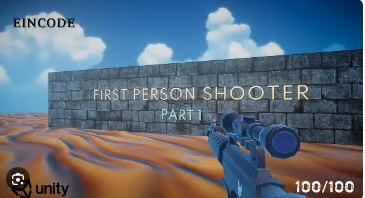
 First Steps With Unity: Shooting Range
Published 4/2026
Created by Shachar Oz
MP4 | Video: h264, 1920x1080 | Audio: AAC, 44.1 KHz, 2 Ch
Level: Beginner | Genre: eLearning | Language: English | Duration: 13 Lectures ( 1h 57m ) | Size: 1.45 GB
✓ Build a complete gameplay cycle with Unity
✓ Implement a first-person controller with keyboard movement and mouse-based camera rotation in Unity
✓ Use prefabs and object instantiation to spawn bullets dynamically from code
✓ Apply Unity physics for collision detection, including handling bullet impacts and target destruction
✓ Manage object lifecycle and performance using timed destruction and clean scene hierarchy
✓ Replace simple graphics with real 3D models, and create explosions with particles
Requirements
● Opening a new Unity project and getting to the Editor
● Basic familiarity with Unity interface is helpful
● No programming experience required
Description
Build a complete first-person shooting range game while working directly with the core systems used in real-time interactive development. This course keeps a professional, hands-on approach while remaining accessible if you're still building confidence with Unity. You'll set up a 3D environment, implement player movement, and configure a first-person camera with mouse input-covering both the "how" and the reasoning behind each decision.
The core of the course focuses on object instantiation and lifecycle management. You'll implement a shooting system that spawns bullet prefabs from code, controls their behavior, and manages their lifetime to maintain performance. Along the way, you'll work with Unity's physics system to handle collisions, detect hits, and destroy objects reliably. These are foundational patterns used across games and interactive applications, not just this project.
You'll also structure your scene using prefabs and clean hierarchies, making it easy to duplicate targets, iterate on level design, and swap assets such as 3D models and particle effects. This mirrors real production workflows where flexibility and scalability matter.
To complete the gameplay loop, you'll implement logic that detects when all targets are destroyed, defining a clear end state for the game.
This course is part of the FLUX Unity Club, so you're not working in isolation. We are a community focused on Unity developers on all levels, where you can ask questions, share progress, and get personalized support as you continue building beyond this project.
If you don't have Unity installed yet or still need even more basic assistance, please don't hesitate to take our FREE course, First Steps With Unity: Installation and Core Skills. It was made especially for that situation.
Who this course is for
■ Developers starting with Unity who want hands-on experience building gameplay systems
■ People who wants to experience the process of building a game mechanics in its most simple manner






 First Steps With Unity: Shooting Range



