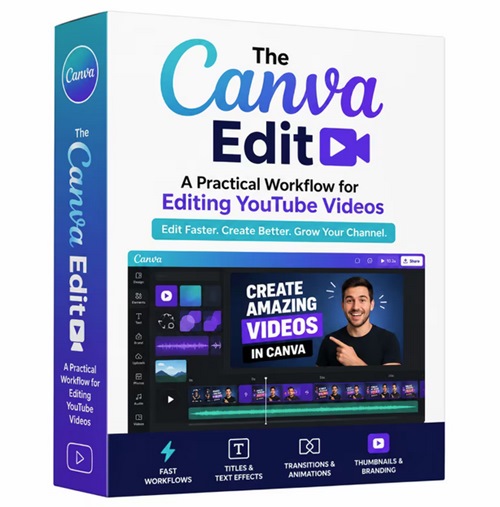
The Canva Edit: A Practical Workflow For Editing Youtube Videos
Released 5/2026
MP4 | Video: h264, 1280x720 | Audio: AAC, 44.1 KHz, 2 Ch
Genre: eLearning | Language: English | Duration: 1h 29m | Size: 551MB
Learn video editing for YouTube using Canva's new video editor and AI tools in a way that feels simple, intentional, and actually doable. In this class, I'll walk you through how to plan your content, edit your footage, and bring everything together with b-roll, music, and a cohesive visual style, so you can finally start creating video content consistently, with a process that feels enjoyable and easy to return to.
Transform the way you create YouTube videos with The Canva Edit - A Practical Workflow for Editing YouTube Videos, the ultimate step-by-step system for creators who want professional-looking content without complicated software or expensive editing tools. Designed for beginners, content creators, entrepreneurs, and social media marketers, this practical training shows you how to streamline your editing process using Canva's powerful and easy-to-use video editing features.
Whether you are launching a new YouTube channel, growing a personal brand, creating educational content, or producing short-form social media videos, this workflow-focused course helps you edit faster while maintaining a polished and engaging visual style. Instead of spending countless hours learning advanced editing programs, you'll discover a simplified system that allows you to create stunning videos directly inside Canva.
Inside this course, you'll learn how to organize your editing workflow, structure engaging video sequences, add smooth transitions, create animated titles, improve pacing, and design eye-catching visuals that keep viewers watching. You'll also discover how to build branded thumbnails, use Canva's built-in assets effectively, and optimize your projects for YouTube publishing.
The training is designed with efficiency in mind, helping creators save time while still producing high-quality results. Every lesson focuses on practical application, making it easy to follow along and implement immediately in your own projects. By the end of the course, you'll have a repeatable editing system that can dramatically improve your content creation process.
Unlike traditional video editing tutorials that overwhelm beginners with technical jargon, The Canva Edit focuses on simplicity, creativity, and speed. The clean workflow allows you to confidently edit talking-head videos, tutorials, explainer videos, social media clips, and promotional content using a platform you may already know and love.
Perfect for freelancers, coaches, small business owners, YouTubers, and digital creators, this course gives you the tools to create professional videos without the steep learning curve of advanced editing software. Canva's intuitive interface combined with a proven editing workflow makes content creation more accessible than ever.






 The Canva Edit: A Practical Workflow For Editing Youtube Videos



