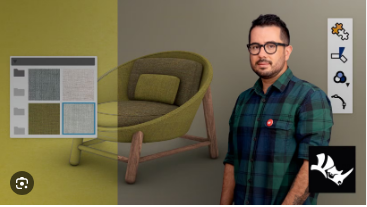
Domestika - Introduction To Rhinoceros 3d
Genre: eLearning | Duration: 40 lessons (7h 9m) | Language: English + Spanish
Subtitles: Spanish · English · Portuguese · German · French · Italian · Polish · Dutch · Turkish
Level: Beginner | Teacher: Diego Fernández | .mkv 1920x1080 16:9 25fps | File size: 3.13 GB
Develop an efficient workflow and master the software's essential tools to model with logic and precision
Whether it's aviation or a children's toy, design, model, and construct your ideas with precision using Rhinoceros. This editing program allows you to model multiple designs for a single project and tackle any 3D shape your brain can imagine.
Join teacher and industrial designer Diego Fernández and learn the basics of 3D modeling in this 6-course Domestika Basics. Become proficient in Rhinoceros and develop an efficient workflow you can use in future projects.
Start by reviewing the basic notions of geometry you need to understand Rhino's 3D environment and familiarize yourself with different parts of the program like the interface, work mechanics, and basic functions so you can start modeling.
Next, learn how to work with basic 2D units in Rhino: points, lines, curves, circumference, polygons, etc. Use these elements to create a precise design that acts as a base you can later build your 3D project on top of.
In the third course, learn how to edit the units you already created and lay the groundwork for the upcoming modeling phases. Diego shares some tips on how to streamline your workflow and shows you how to organize your workspace.
In the next course, create surfaces and solids in order to understand the logic involved in Boolean operations. Work with the different surface tools and see how each one is applied to 3D modeling.
At this point, Diego teaches you how to combine the tools you've learned so far to develop your own workflow in Rhinoceros's 3D environment and have a thorough understanding of the 3D modeling process.
Finally, learn how to present your projects using renders to create a realistic representation of an object's material composition. Create materials, add images to your models, and find the best perspective for an impressive presentation.






 Domestika - Introduction To Rhinoceros 3d

