 Release Name:
 Screenpresso Pro 2.2.12
Size: 46.3 MB
Screenpresso captures your desktop (screenshots and HD videos) for your training documents, collaborative design work, IT bug reports, and more. Screenpresso is a NEW Light-weight screen grab tool with built-in image editor, user guide generator and sharing options.
Capture in Videos or Images
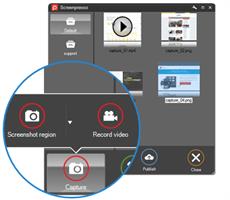
Capture what you see on your screen with just a few clicks. Manage your capture history by workspaces.
Create great looking images and documents
Edit and highlight what matter in your screenshots with our built-in image editor. Create PDF documents with our document generator.
Share your screen captures
Drag & drop your captures to your emails to create attachments in 1 second. Share videos and images with Screenpresso Cloud without registration. Publish to Google Drive, Twitter, OneDrive, Dropbox and more.
Capture screenshots including scrolling parts
Press the Print Screen button, and you will see how Screenpresso magically assists you in screen capture:
The mouse cursor will turn into a crosshair, and moving it around the screen will automatically highlight the area that can be captured in red. It does some pretty cool edge snapping to the screen, so you can choose to grab part of a window, or the entire window, or even the whole screen.
Capture full screen, part of the screen or a specific window with the same shortcut/hotkey
Make sure to capture what you need. Click and drag anywhere on your screen to select a region with pixel-perfect accuracy thanks to the zoom lens at the right bottom of the screen
Capture scrolling windows: Can't fit it on the screen? Make a unique image of scrolling windows thanks to the stitching mechanism
Capture your mouse cursor and the context of the capture
Delay capture for capturing context menu
Capture your screen in HD videos
A small video is a key to reduce misunderstanding in documentation.
Screenpresso records your screen in a video and produces lightweight MP4 video files for easy sharing.
Capture in MP4 format for lightweight files
Capture sounds and webcam
Export frames/images
Crop the video
Mute, change video speed, or change the format
Smooth workflow It has a 3-step process:
Press [PrintScreen] key to start a Capture. You don't need to bother on filename
Edit your capture with built-in editor
Publish your capture (PDF, email attachment, drag anywhere or post online)
Powerful built-in image editor
Screenpresso provides a built-in vector image editor to mark up your screen captures.
Double-click on an image in the Screenpresso's workspace to open the editor or click on the Edit button
Add arrows, spotlight an area, colorful speech bubbles, rectangles, ellipses, text boxes, callouts and more
Crop, add drop-shadow, rounded corners, reflection, torn edges and more fancy border effects
Step Tool: quickly highlight a series of steps: each click gets the next number in the series






 Screenpresso Pro 2.2.12

